
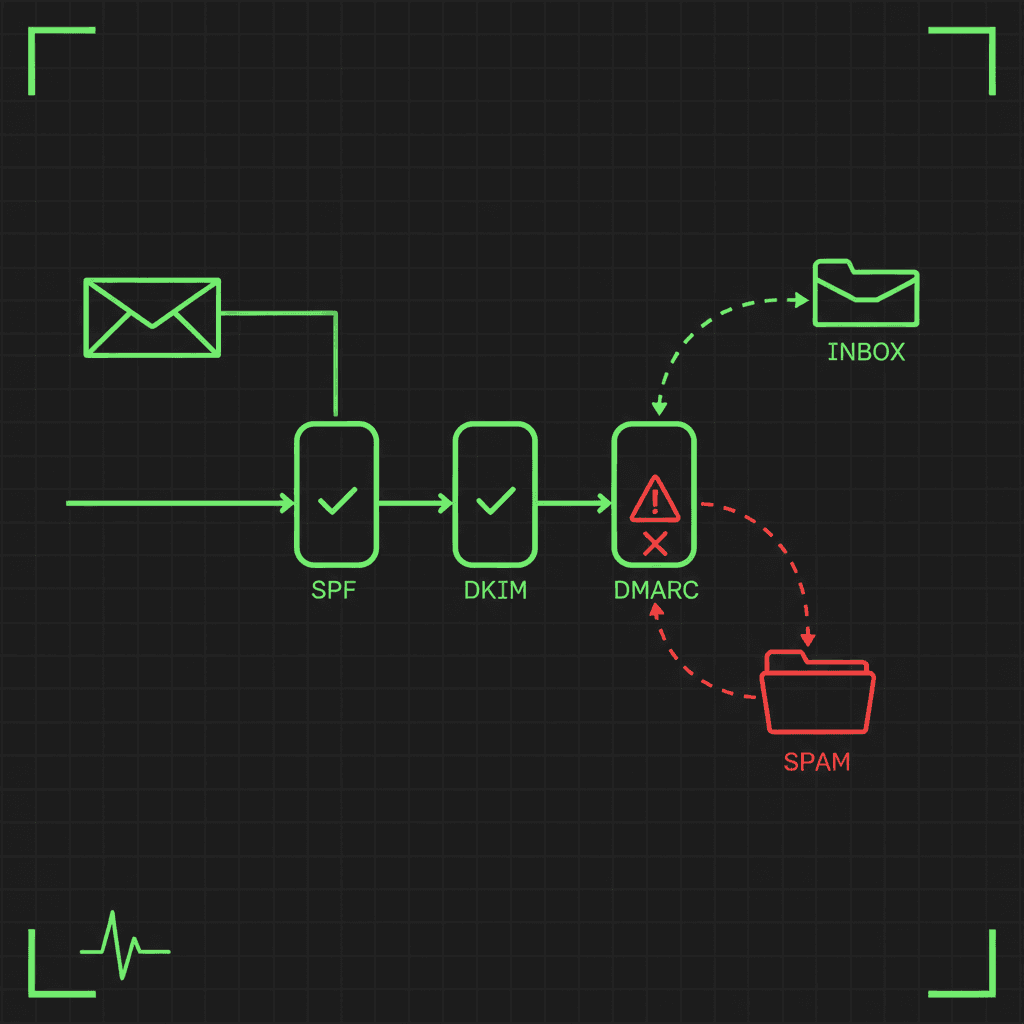
You hit send, and the email never arrives. Or it arrives in the spam folder, and the person on the other end swears they checked. The maddening part is the silence: no bounce, no error, no explanation. Just a message that quietly did not land.
I have spent more Friday afternoons than I would like chasing exactly this, and the lesson every time is the same. The reason your email goes to spam is almost never a mystery once you stop looking at the symptom and start reading what the receiving mail server actually sees. This is the process we use, in order, with a tool for each step.
A quick story, because it makes the point
We build Trace Warrior, and we send our transactional email (signups, receipts, alerts) through a proper provider. Not long ago our own signup emails started vanishing. The sending dashboard cheerfully reported every one as "delivered." The inbox said otherwise.
It turned out Microsoft 365 had accepted the messages at the server, which is all "delivered" means, and then quietly quarantined them as High Confidence Phishing. Quarantine is a holding area that never touches the inbox or even the junk folder, so from our side there was nothing to see. Two lessons fell out of that afternoon, and they shape everything below:
- "Delivered" is not "read." It only means the receiving server accepted the handshake. What happens next is invisible from the sending side.
- The reasons mail gets filtered live in your DNS records, not in your outbox. You have to go and read them.
The mental model: deliverability is three questions
Almost every "why is my email going to spam" problem is one of three things, and it helps enormously to work them in this order:
- Can mail physically reach the domain? That is your MX records.
- Can the receiver prove the mail is really from you? That is SPF, DKIM, and DMARC, the three email authentication standards.
- Does your sending identity have a bad reputation? That is blacklists, plus content and sending behaviour.
Spam folders and silent filtering are nearly always a failure of number two or number three. Run the checks in order and the black box turns into a short, specific list of things to fix.
1. MX: can mail even reach you?
Before anything else, confirm the domain's mail is pointed somewhere sane. Broken or missing MX records mean mail bounces or, worse, silently routes to the wrong place. The classic mistakes are an MX pointing at a CNAME (which some servers refuse), a host that no longer resolves, or a null MX that declares the domain does not accept mail at all.
Run an MX lookup on your domain. You want to see your real mail provider (Google Workspace, Microsoft 365, and so on), every host resolving to an IP, and no health warnings. If this part is broken, fix it first, the rest does not matter until mail can land.
2. SPF: does the sending server have permission?
SPF (Sender Policy Framework) is a DNS record that lists which servers are allowed to send mail as your domain. When a receiver gets a message claiming to be from you, it checks whether the sending server is on that list.
The silent killer here is a limit almost nobody knows about: SPF is allowed a maximum of 10 DNS lookups. Every include: in your record (and every provider you add, from your CRM to your help desk to your newsletter tool) consumes lookups, and they nest. Go over 10 and receivers return a permerror, SPF fails, and your perfectly legitimate mail starts getting filtered.
Run an SPF check on your domain. It walks every include the way a receiving server does, counts your lookups against the limit of 10, and flags the other common faults: multiple SPF records (which invalidate each other), a +all that authorises the entire internet, and broken includes. If you are near the limit, that is very often your answer.
3. DKIM: is the message actually signed?
DKIM (DomainKeys Identified Mail) adds a cryptographic signature to every message, so the receiver can prove the mail genuinely came from your domain and was not tampered with in transit. It is also the authentication method that survives forwarding, which SPF does not.
The annoying part of checking DKIM is that you need the "selector", a short name your provider chose, and most people have no idea what theirs is. Our DKIM checker gets around that: leave the selector blank and it scans the selectors that every major provider documents (Google, Microsoft 365, SendGrid, Fastmail, Proton, and more) until it finds yours. It then validates the key itself, flagging revoked keys, weak 1024-bit keys, and records in testing mode.
4. DMARC: what should the receiver do on failure?
DMARC ties SPF and DKIM to the domain in your visible From address and tells receivers what to do when a message fails: nothing (p=none), send it to spam (p=quarantine), or reject it outright (p=reject). It also gives you reports on who is sending mail as your domain, which is how you catch both spoofers and forgotten senders.
Two things make DMARC urgent. First, Google and Yahoo now require it from anyone sending in bulk. Second, without it, receivers have no instructions for handling mail that fails your other checks, which makes both spoofing and false-positive filtering more likely.
Run a DMARC check. It reads your policy with organizational-domain fallback exactly like a real receiver, explains every tag in plain language, and verifies something most tools miss: whether your report destinations are actually authorised to receive your reports. If you have no DMARC record, start with p=none to watch the reports, then tighten to quarantine and reject once they look clean.
5. Blacklists: is your IP or domain already burned?
You can pass every authentication check and still land in spam if the IP you send from, or your domain, is on a spam blocklist (a DNSBL). This happens more than you would think: shared IPs at budget hosts, a compromised device on your network, or simply a fresh IP with no reputation.
Run a blacklist check on your sending IP or domain against the major lists (Spamhaus, SpamCop, Barracuda, and others). One warning: be careful which checker you trust here. Spamhaus and some others deliberately refuse queries from shared public resolvers and answer with sentinel codes, and naive tools display those as "listed", a false accusation about your IP. Ours queries through its own resolver to get real answers, and decodes the return codes so a residential-policy marker is never reported as a spam listing.
The alignment trap: why "SPF passes" is not enough
Here is the subtlety that trips up even experienced admins. SPF and DKIM can technically pass and still not align with your From domain, and DMARC requires alignment, not just a pass. This is why mail sent "on behalf of" you through a third party often fails DMARC even though SPF is green.
It is also why you want both SPF and DKIM, not just one. When a message is forwarded, SPF breaks (the forwarding server is not on your list), but DKIM survives, because the signature travels with the message. Authenticate on both and your mail holds up through mailing lists, forwards, and the long tail of ways email actually moves.
The boring reasons that still matter
If your authentication is clean and you are not blacklisted, the remaining causes are less technical but just as real:
- A brand-new domain or IP has no sending reputation. Warm it up slowly instead of blasting your first campaign to 50,000 people.
- Missing reverse DNS (PTR). Many receivers quietly penalise a sending IP with no PTR record.
- Spammy content: all-image emails, link shorteners, aggressive subject lines, or a missing unsubscribe link.
- Sudden volume spikes, which look exactly like a compromised account.
Fix it once, then keep it fixed
The hard truth about deliverability is that it is not set-and-forget. A fat-fingered DNS edit, an expired DKIM key, an SPF record that quietly grows past 10 lookups as you add tools, or an IP that lands on a blocklist can undo all of this silently, and you find out when your mail stops arriving, usually at the worst possible moment.
That is exactly the case for monitoring the records themselves. A DNS record monitor on your SPF, DKIM, and DMARC records alerts you the moment any of them changes, so drift pages you instead of your customers. It is the difference between finding out from an alert and finding out from an angry client.
The 60-second checklist
When someone tells you their email is going to spam, run these five, in order:
- MX resolves to your real mail host, no warnings → MX Lookup
- SPF exists, ends in
-all, stays under 10 lookups → SPF Checker - DKIM key is published and valid → DKIM Checker
- DMARC is published, at least
p=nonewith reporting → DMARC Checker - Blacklists: your IP and domain are clean → Blacklist Check
Then confirm reverse DNS is set and the content is not obviously spammy.
The reason "my email goes to spam" feels like a black box is that the sending side shows you almost nothing. The receiving side shows you everything, you just have to ask it. Run the checks in order and the mystery becomes a short list of specific, fixable answers.
What is the sneakiest deliverability bug you have run into? Mine is still the Microsoft quarantine that reported "delivered" the entire time it was eating our mail.